Home / Laptops / Acer / Acer Predator Helios 300 (PH315-54)
Acer Predator Helios 300 (PH315-54) repair in Las Vegas
Repairs for the Acer Predator Helios 300 (PH315-54) (2021), including overheating and thermal repaste and fan replacement.
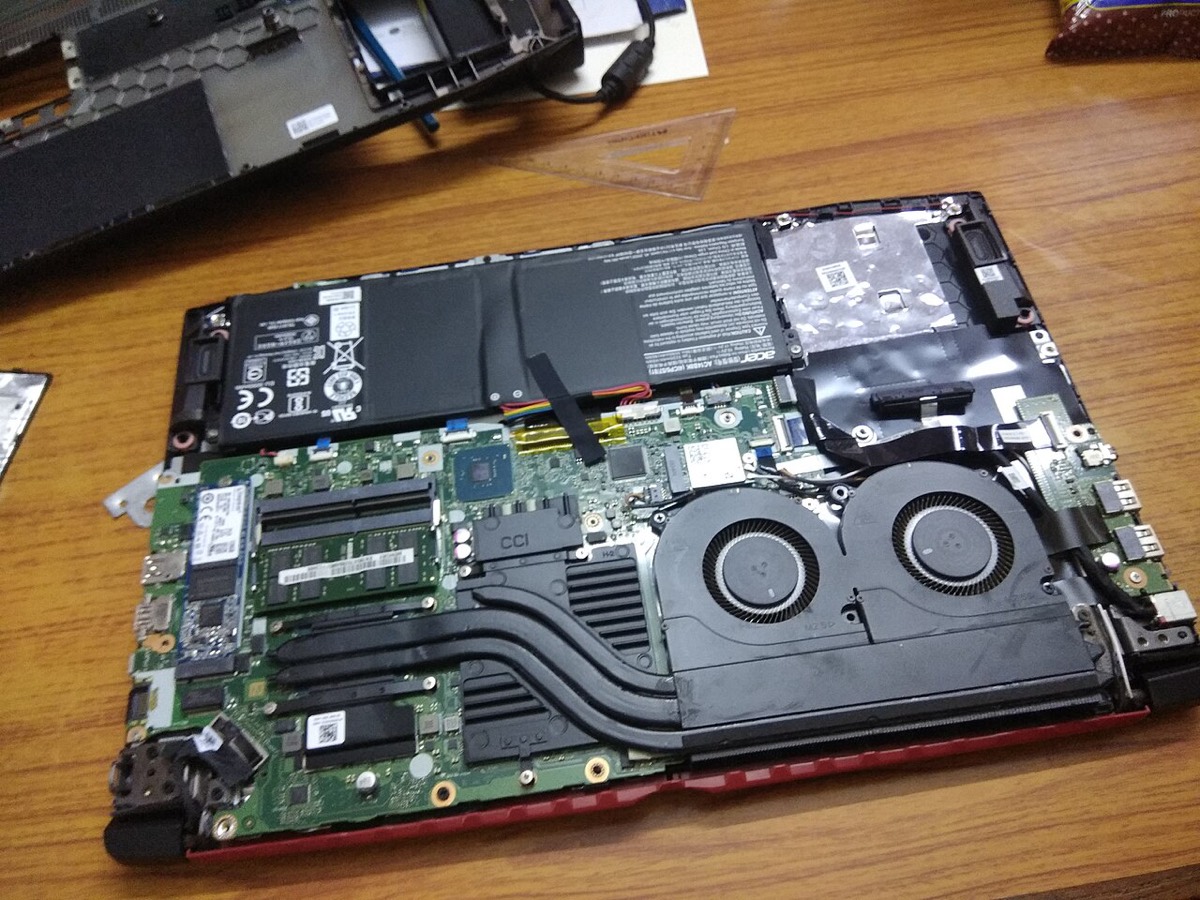

The Acer Predator Helios 300 (PH315-54) is a 15.6-inch gaming laptop with an 11th-generation Intel Core H processor, NVIDIA RTX 30-series graphics and a high refresh rate display. Owners usually bring it in when it runs hot and loud, throttles during games, shows a cracked or flickering screen, stops charging, or needs more storage for an expanding game library.
Common Helios 300 PH315-54 repairs
- Overheating and thermal throttling in games
- AeroBlade fan noise, rattling or failure
- Heatsink cleaning and thermal paste service
- High refresh rate display replacement
- DC power jack and power adapter faults
- NVMe SSD upgrade or RAID setup
- Dual-channel RAM upgrade
- RGB keyboard and key replacement
Cooling under gaming loads
Acer’s AeroBlade fans are thin metal-bladed fans built to move a lot of air through a slim chassis. When a fan starts to rattle or whine, a blade or bearing is often the cause, and dust packed into the heatsink fins makes temperatures climb quickly. We clean the full thermal path, check fan operation and replace worn parts so the Turbo mode can actually deliver its extra performance.
Storage and memory you can upgrade
The PH315-54 keeps its memory and storage replaceable. It has two SO-DIMM slots for DDR4 memory and two M.2 slots for NVMe SSDs, which can also be configured in RAID. Running memory in matched pairs keeps both channels active. Because the exact configuration varies by sub-model, we confirm what your unit has before recommending an upgrade.
Protecting your saves and files
If the laptop no longer boots, your SSD is usually removable, which often makes copying files off simpler than on soldered designs. That changes if BitLocker or Windows device encryption is enabled, so keep your recovery key in your Microsoft account. For failed drives, our Las Vegas data recovery is offered at a flat fee with financing up to 12 months.
Frequently asked questions
My Helios 300 fan is grinding. Do I need a new fan?
Grinding or rattling often means a damaged blade or worn bearing, and sometimes just debris caught in the housing. We inspect it for free and replace the fan if needed. Fan parts usually arrive in 3 to 5 business days.
Can you add a second SSD to my PH315-54?
Yes. This model has two M.2 slots, so a second NVMe drive is usually a direct install. We can also clone your current drive to a larger one if you prefer a single big drive.
Is it safe to keep gaming if it is overheating?
Heavy use while overheating stresses the battery and components, and it causes throttling and shutdowns. A cleaning and fresh thermal paste is often the fix. We charge a flat labor fee and give a written estimate first.
Finding your exact model
Look on the label underneath for a model starting with letters such as A515 or AN515.
More help
We also offer upgrades where your configuration allows, onsite repair, and PC-3000 data recovery.